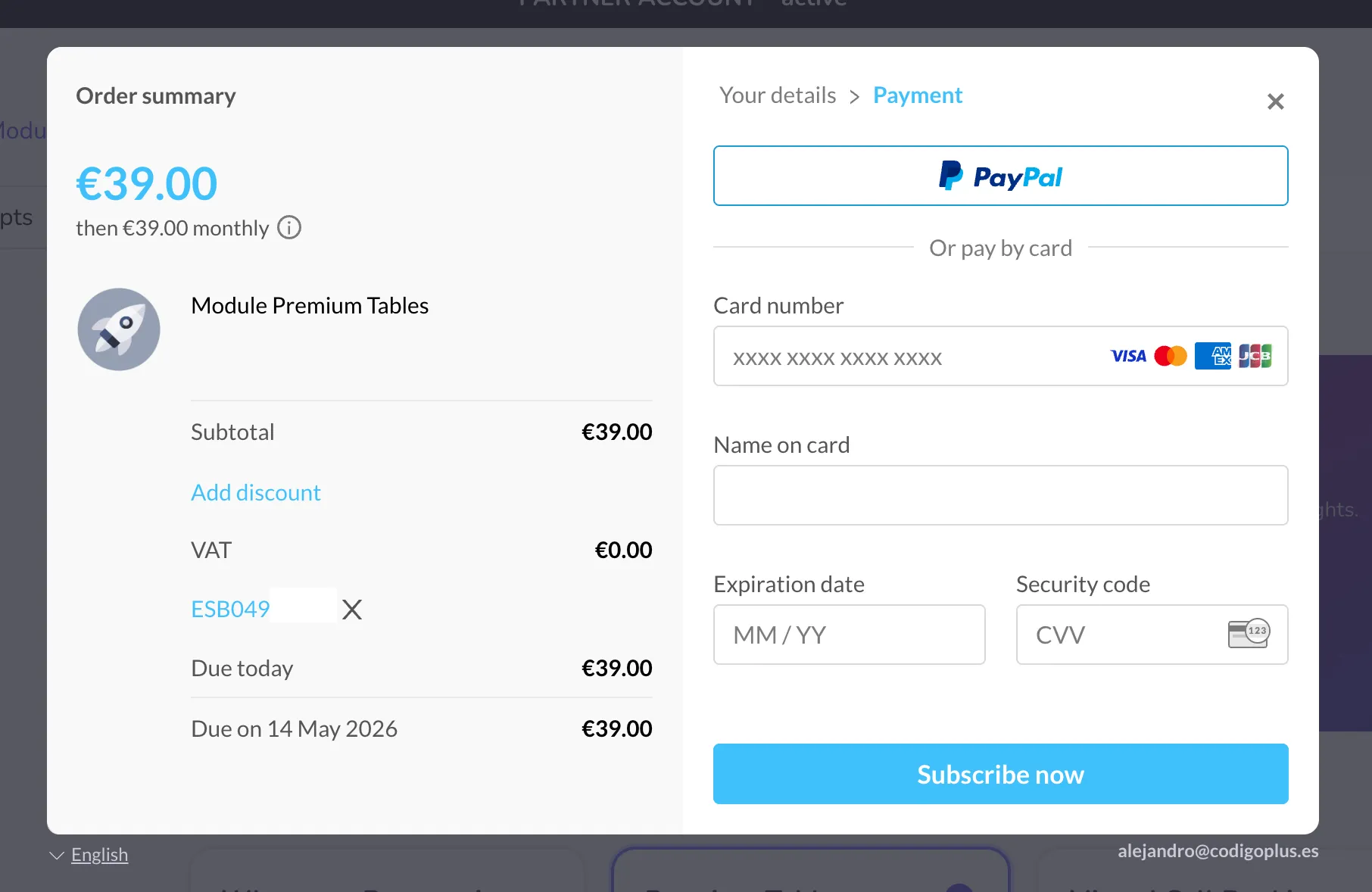
Checkout VAT
Paddle gateway acts as the Merchant of Record, which means it is responsible for handling VAT collection and compliance.
If you have a valid European VAT number, VAT can be removed during checkout.
Steps
When purchasing a license, you can remove VAT by entering your company VAT number.
-
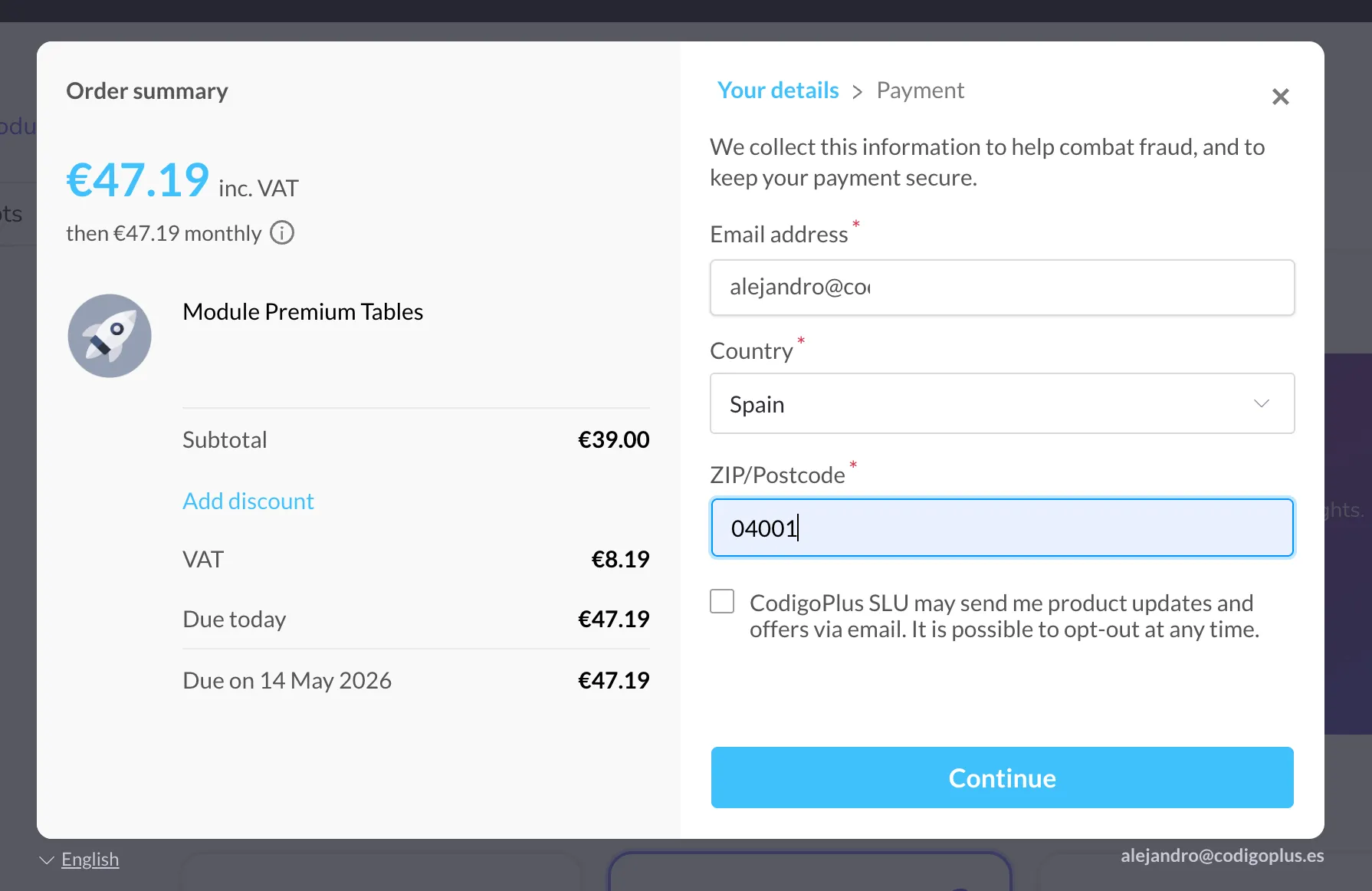
Enter your country and postal code (if requested), then click Continue.
-
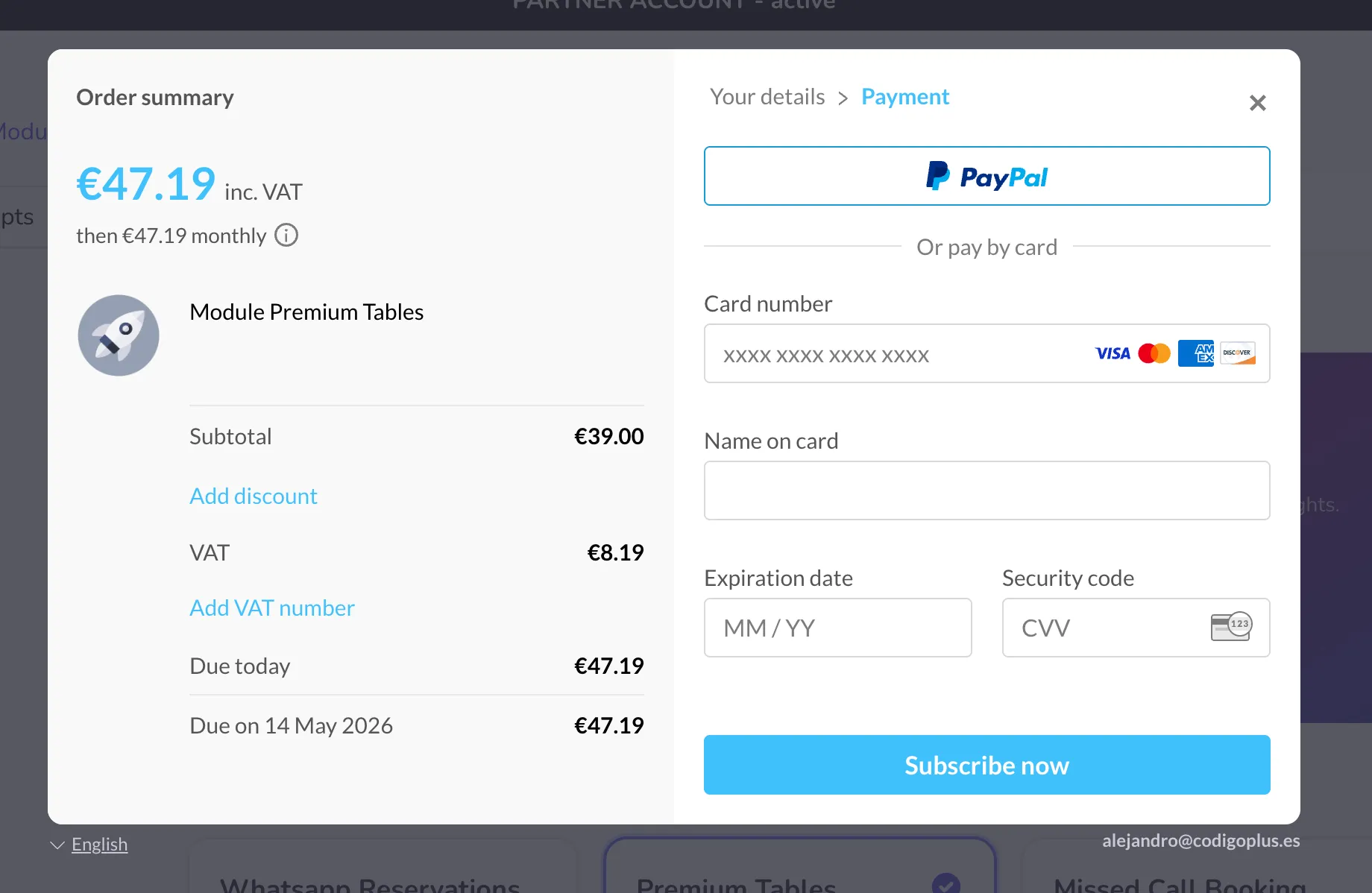
The "Add VAT number" button will appear on the left side.
-
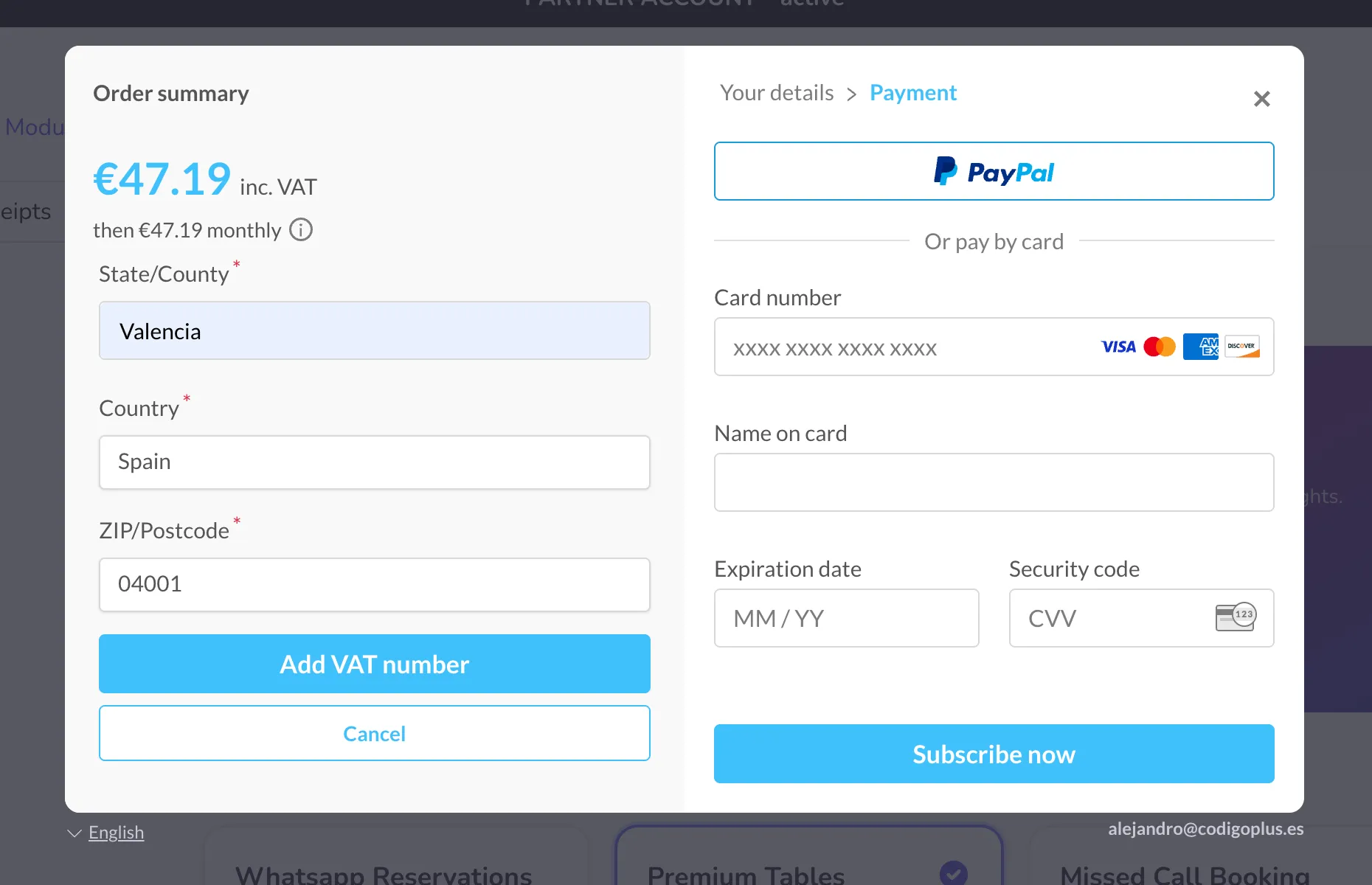
Enter your European VAT number (e.g., ESB049_______) and click "Add VAT number".
-
If the VAT number is correctly verified, VAT will be removed from the total price.