How to Take Restaurant Reservations by WhatsApp on WordPress
In many countries guests would rather send a message than fill in a form or make a call, which is why WhatsApp restaurant reservations have grown from a favour for regulars into a channel in their own right. The difficulty is that a chat on a personal phone is not a reservation system. This article explains what guests like about booking by message, what goes wrong when it is handled by hand, and how WhatsApp booking on WordPress works when the conversation is connected to your real availability.
Why guests like booking by WhatsApp
- It is already open. There is no app to install and no account to create. The guest writes to the restaurant as they would to a friend.
- It does not interrupt. A message can be sent from a meeting or a bus. A phone call cannot.
- It leaves a record. The confirmation stays in the chat, with the date and time, and is easy to find on the day.
- It feels personal. A message from the restaurant reads differently from an automated email in a promotions tab.
- Messages get read. People check WhatsApp more often than their email inbox, so a reminder sent there is more likely to be seen in time.
For the restaurant there is a matching advantage: fewer phone calls during service, when nobody has a free hand to answer.
What goes wrong when WhatsApp bookings are handled by hand
Most restaurants start the same way. The owner or the manager gives out a mobile number, and reservations arrive between photos from the fish supplier and messages from the family. It works at ten bookings a week. Beyond that, the same problems appear in almost every restaurant:
- Messages are answered late. A request sent at 13:45 on a Saturday is read at 16:30. By then the guest has booked somewhere else.
- Bookings are copied by hand. Every reservation has to be transferred from the chat to the book or the system. Each transfer is a chance to write the wrong day or forget it altogether.
- There is no live availability. Whoever answers has to check the book before replying, or reply from memory and hope.
- Everything depends on one phone. When that person has a day off, is ill or leaves the company, the channel and the conversation history go with them.
- No reminders. Nobody has time to write to tomorrow's forty guests one by one, so no-shows go unchallenged.
- Guest data is scattered. Phone numbers and preferences live in a chat list, not in a customer record the team can use.
- Privacy is unclear. Guest contact details on a personal device are hard to square with a serious data protection policy.
The answer is not to stop offering WhatsApp. It is to connect it to the same system that holds your tables and shifts.
How WhatsApp booking on WordPress works with Alex Reservations
Alex Reservations is a WordPress restaurant booking plugin that runs on your own site, with reservations and guest data stored in your own WordPress database. WhatsApp Reservations is an optional premium module, priced separately, that adds the messaging channel on top of it. A second optional module, Missed Call Booking, covers the calls nobody could answer.
Confirmations by WhatsApp
When a reservation is made, the guest receives the confirmation as a WhatsApp message with the date, time and party size. It does not matter whether the booking came from the website form or was entered by staff after a phone call.
Reminders and re-confirmation
Before the reservation the guest gets a reminder and a request to re-confirm. The reply updates the booking in the system. If the guest cancels, the table returns to availability and can be offered again, which is the whole point: a cancellation the day before is manageable, an empty table at 21:00 is not.
Booking from a WhatsApp conversation
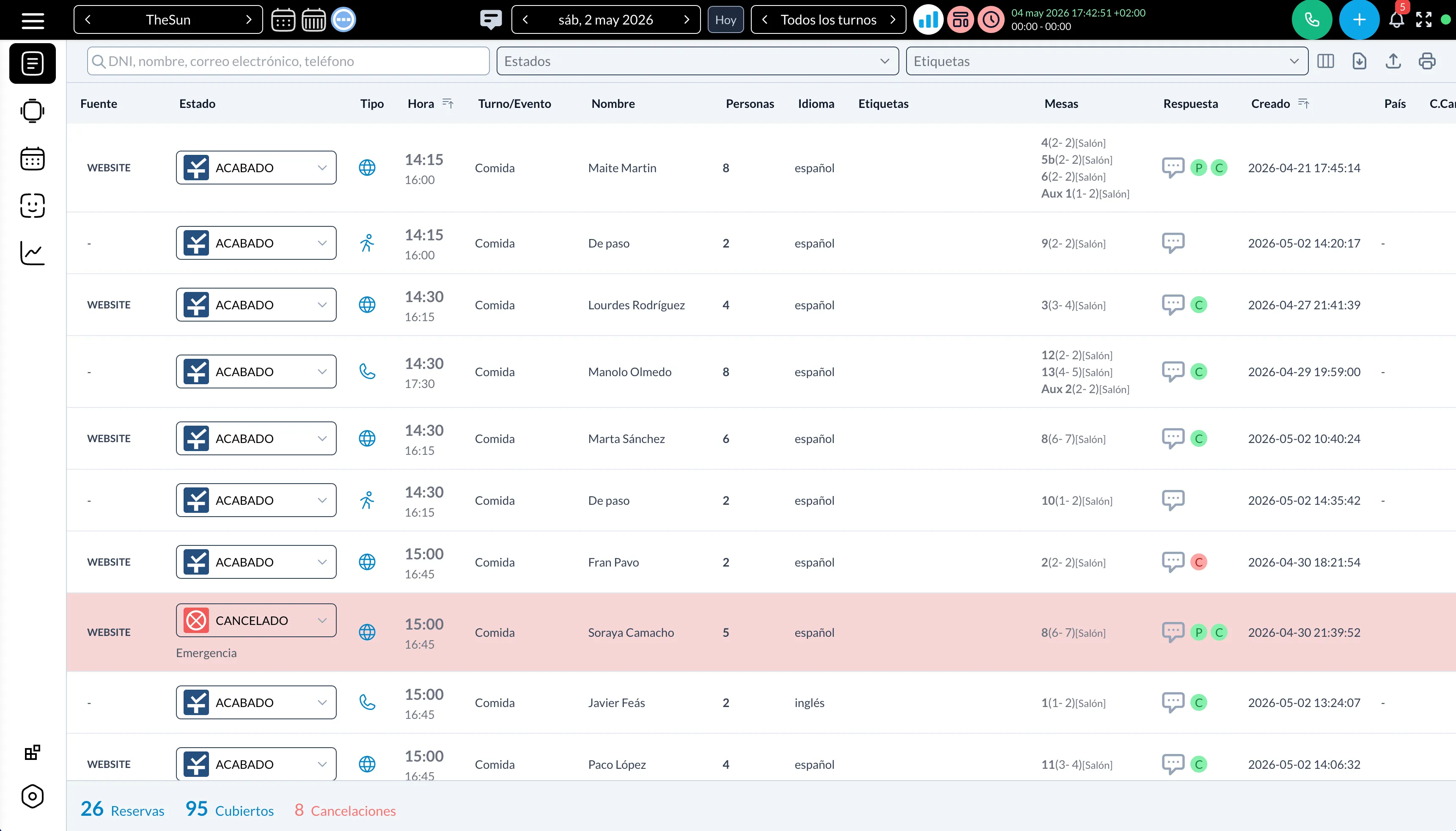
Guests can make a reservation from the WhatsApp conversation itself. The booking is checked against your shifts and tables and lands in the same bookings list as the reservations from your website, so there is one source of truth and nothing to copy by hand.
Missed calls turned into bookings
With the Missed Call Booking module, a call that nobody answers can trigger an automatic message to the caller with a link to book. The guest who rang during the Saturday rush receives a way to reserve within moments, instead of trying the next restaurant on the list.
Set-up outline
The exact screens are described in the documentation. The overall path looks like this:
- Get the base system working. Install the plugin, define shifts and tables, and publish the form. The tutorial on adding a table booking system to WordPress covers this part.
- Choose a business number. Use a number that belongs to the restaurant, not the personal phone of an employee. Alex Reservations sends and receives WhatsApp messages through Twilio as the service provider, so you connect a Twilio account with a WhatsApp-enabled sender for that number.
- Activate the WhatsApp Reservations module and connect the number by following the steps in the docs.
- Write and review the message templates: confirmation, reminder, re-confirmation request and cancellation.
- Set the timing of reminders and re-confirmation for each restaurant.
- Test with your own phone. Make a booking, re-confirm it, cancel it, and check every message as a guest would see it.
- Add Missed Call Booking if unanswered calls are a regular problem.
- Tell guests. Add the WhatsApp option to your website, your social profiles and your voicemail message.
Good practice for message tone and timing
Tone
- Put the facts first. Restaurant name, day, time, number of guests. Then anything else.
- One message, one purpose. A confirmation confirms. A reminder reminds. Do not attach the week's specials.
- Write as your staff speak. Polite and warm, without capital letters, rows of exclamation marks or a wall of emojis.
- Make the next action obvious. Tell the guest exactly how to confirm, change or cancel.
- Use the language of the guest where you serve international visitors.
- Sign as the restaurant. Guests should recognise who is writing from the first line.
Timing
- Confirmation: immediately after the booking. A delay makes guests wonder whether it worked.
- Reminder and re-confirmation: around 24 hours before for a normal table. For large groups or special dates, ask earlier, for example 48 hours ahead, so you have time to resell the table.
- Quiet hours: avoid sending late at night or early in the morning. A reminder for a 13:00 lunch is better sent the afternoon before than at 07:00 on the day.
- Follow-ups: if a guest does not answer the re-confirmation, one follow-up or a short call is reasonable. Three messages are not.
Consent and respect
Use WhatsApp for messages about the reservation the guest made. Marketing messages need the explicit consent of the guest and should stay rare. A channel this personal loses its value quickly if it starts to feel like advertising.
How it fits with your other channels
WhatsApp works best as one door among several that lead to the same room: the website form, the phone, walk-ins and messages all end in one bookings list. If you also use a marketplace, tag bookings by source so you can compare channels. The article on alternatives to booking marketplaces explains how to measure them.
Next step
Set up the base booking system first, then add the WhatsApp module once your shifts and tables are correct. You can start a free 14-day trial of the PLUS plan without a credit card and test the whole flow with your own phone before guests see it.